Setup guide
Add the Door in 6 steps
Basecamp has no API for creating Doors automatically, so this one-time setup is done by hand in each project. It takes less than a minute.
- 1
Open your Basecamp project
Go to the project whose to-dos you want to see as a Gantt chart.
- 2
Open the tools menu
Click the ••• menu in the top-right of the project

- 3
Choose "Customize project tools"
Under the list of tools you can add, pick "Customize project tools".

- 4
Add external link
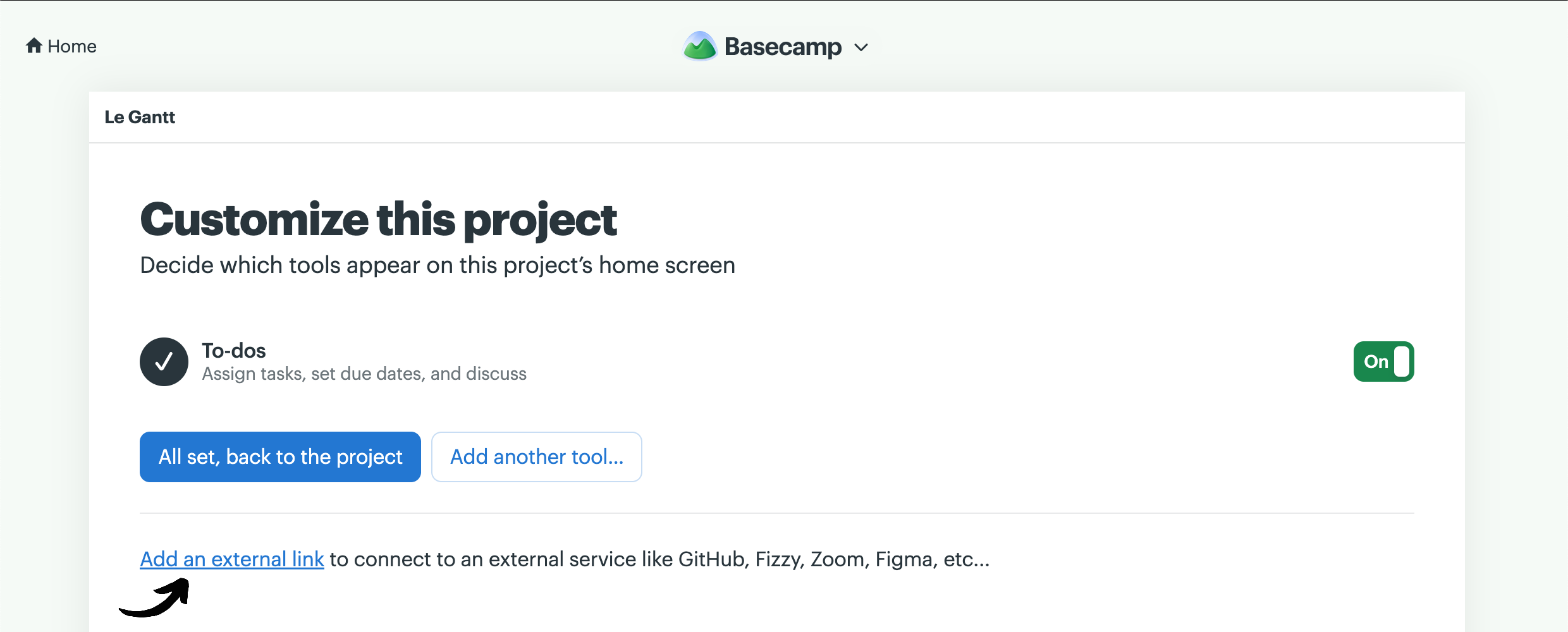
Under the list of tools click "Add an external link".
- 4
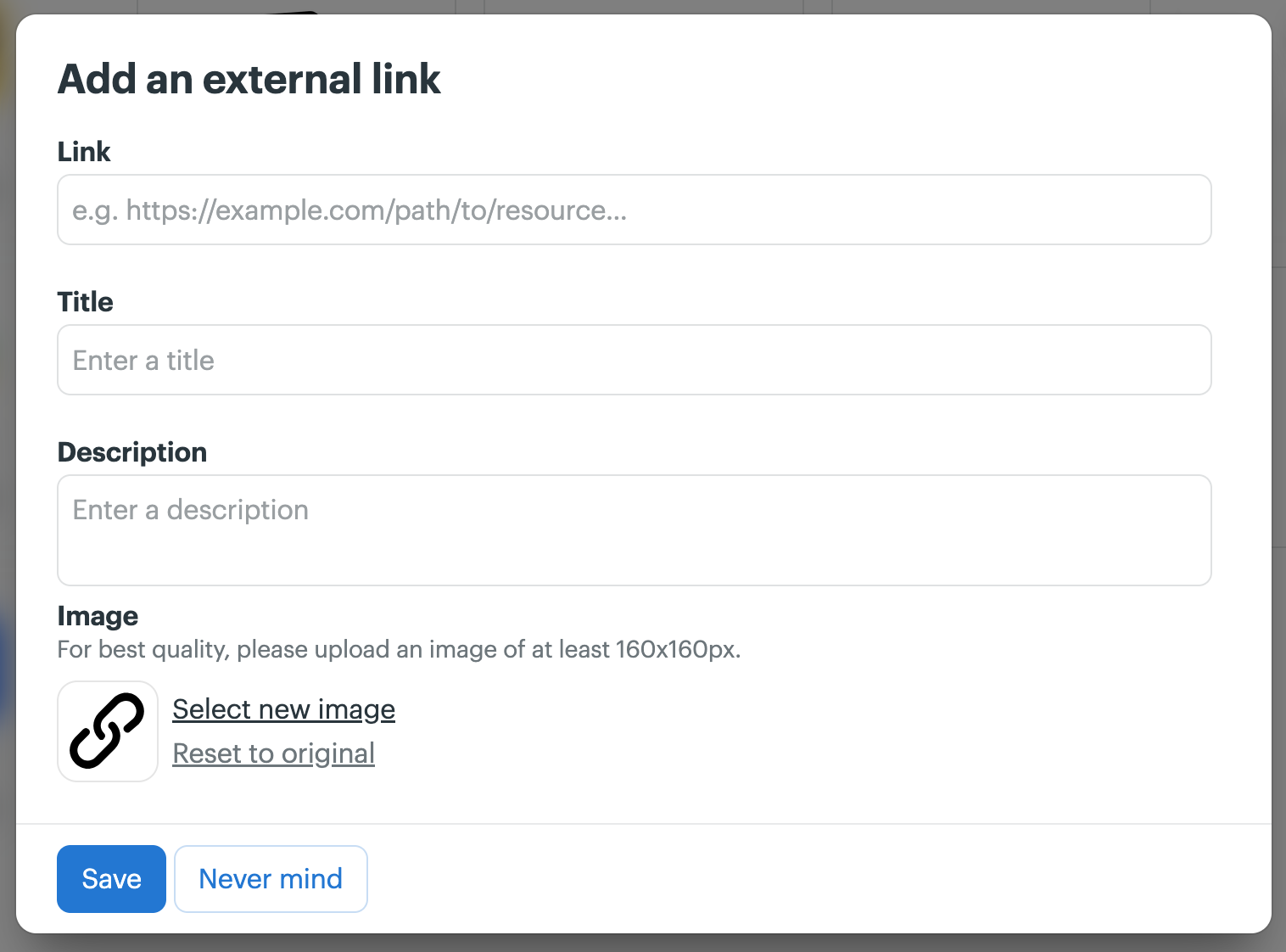
Name it and paste the Le Gantt link
Name the external link "Le Gantt" (or anything you like), paste the link below as the URL, and save.
https://basecamp.legantt.com - 5
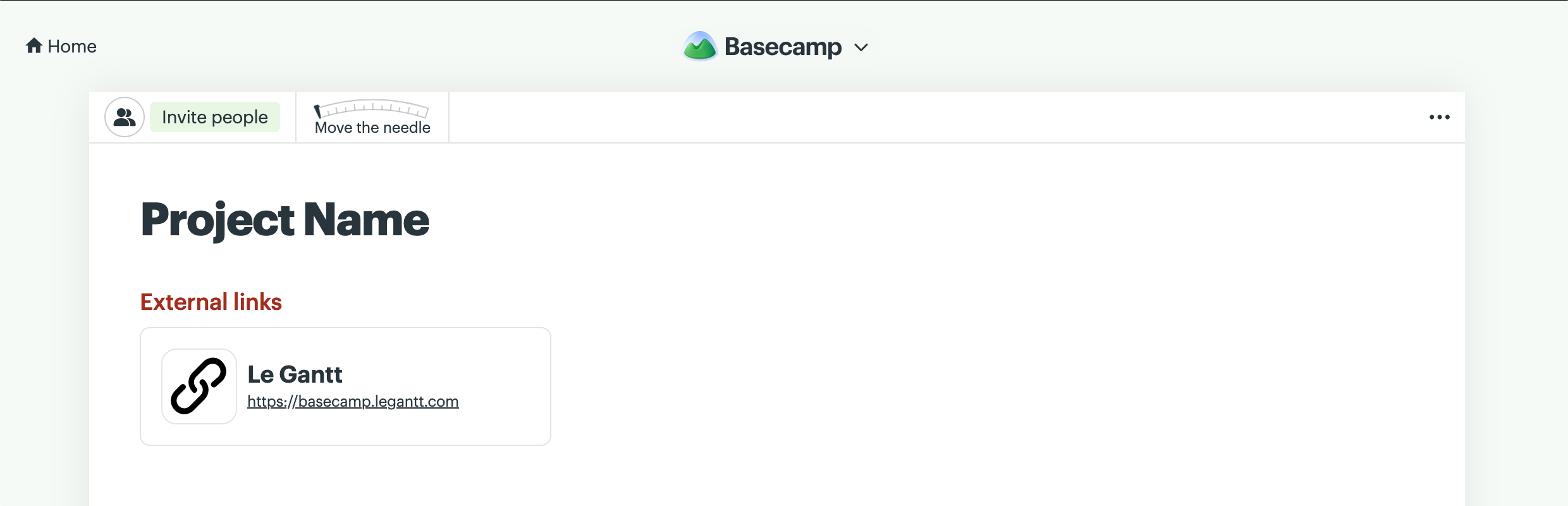
Open Le Gantt from your project
The Door now appears in your project's navigation. Click it, then choose "Continue with Basecamp" to sign in.
- 6
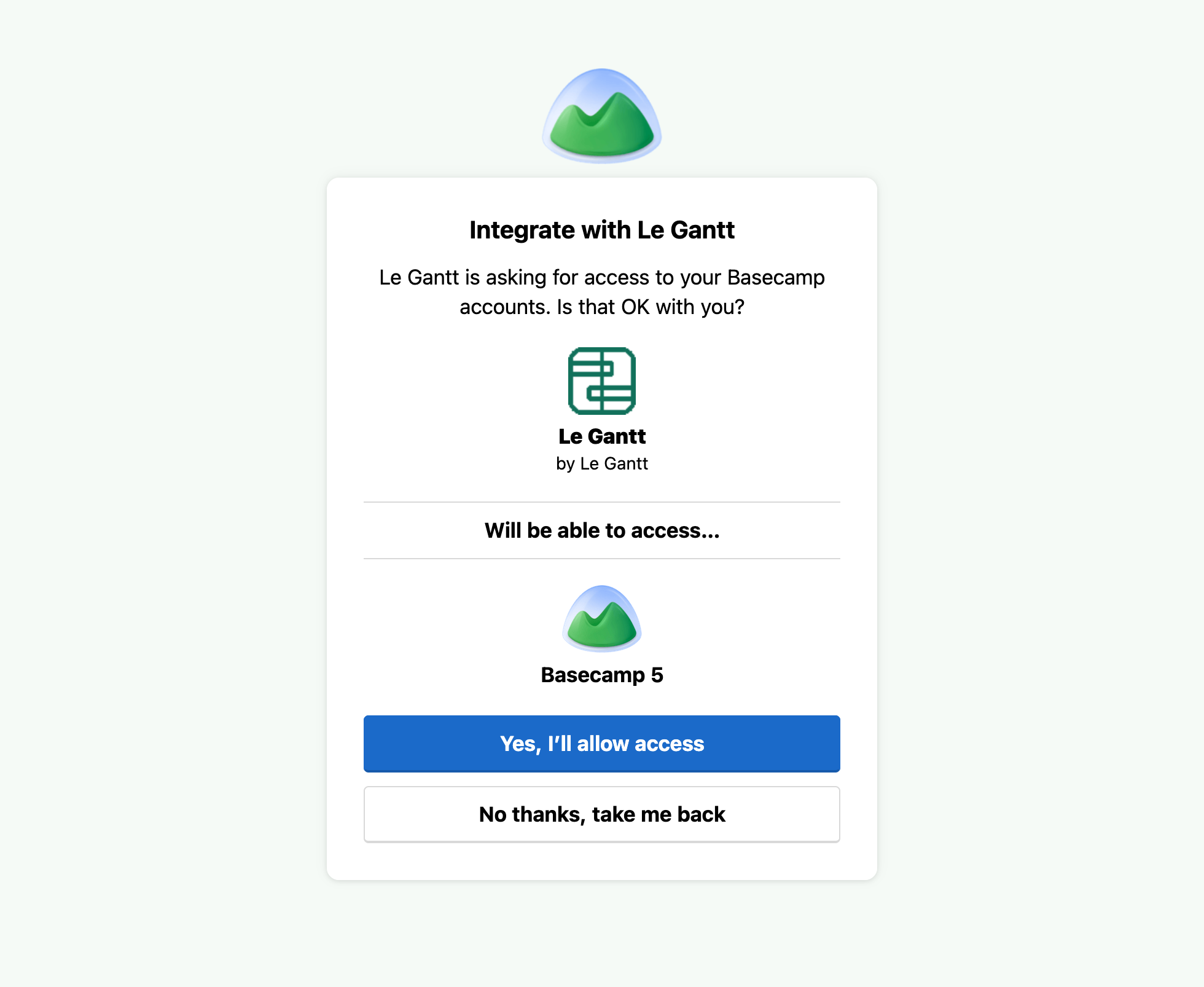
Authorize access to Basecamp
The first time you open Le Gantt, Basecamp asks you to grant it access to your account. Click "Yes, I'll allow access" to continue—this is required so Le Gantt can read your projects and to-dos and save dates back. Once you confirm, your Gantt chart loads with dates, dependencies, and milestones included.